How to Track Change Orders on a Contractor Job
Day nine of a kitchen remodel. Cabinets are in. The customer walks through, looks at the underside of the uppers, and says: could we get lights under there?
You look at it for eight seconds. “Yeah, we can do that. Call it five hundred.”
Full walkthrough of the template used in this guide.
She says great. You get back to work. Nobody writes anything down.
That sentence just cost you $117.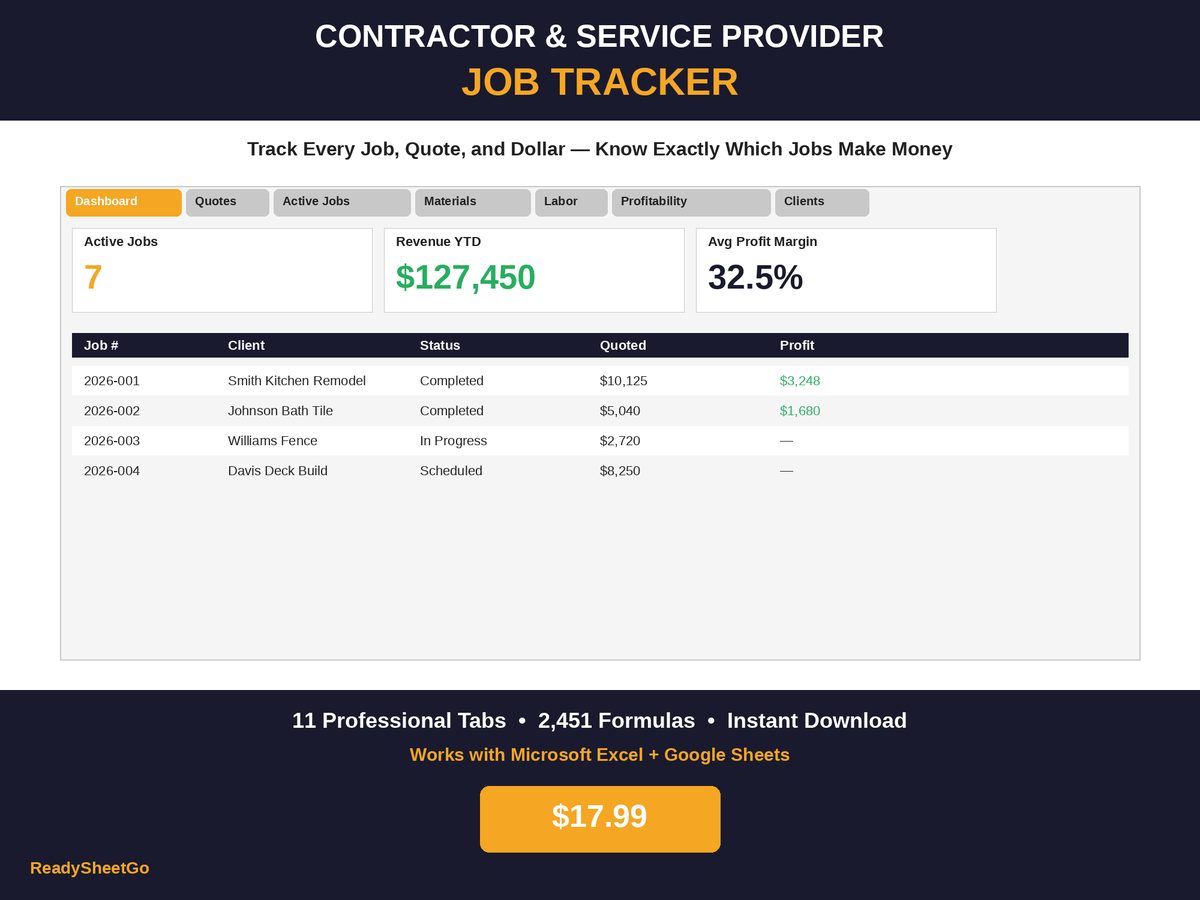
What It Actually Cost
Price it properly after the fact and the picture is not close:
| Line | Amount |
|---|---|
| LED strip, transformer, dimmer, wire, connectors | $232 |
| Owner labor — 4 hrs @ $65 | $260 |
| Helper labor — 2 hrs @ $25 | $50 |
| True cost to deliver | $542 |
Sold at $500, against a $542 cost. That is −$42 before overhead. Charge the job’s 15% overhead on the $500 and it becomes:
$500 − $542 − $75 = −$117
You did six hours of skilled work, bought $232 of parts, added a day to the schedule, and paid $117 for the privilege.
Now the part that stings. Priced at the job’s own 25% markup:
$542 × 1.25 = $677.50 → net after overhead: $33.87
Even correctly priced at the job’s standard rate, a change order clears about 5%. Which tells you something important: the job’s normal markup is the wrong rate for a change order. At 40%:
$542 × 1.40 = $758.80 → net after overhead: $102.98, a 13.6% margin
That is the number that makes a change order worth accepting.
| Priced at | Charged | Net after 15% overhead | Margin |
|---|---|---|---|
| A number you said out loud | $500.00 | −$117.00 | −23.4% |
| Job markup (25%) | $677.50 | $33.87 | 5.0% |
| Change-order markup (40%) | $758.80 | $102.98 | 13.6% |
The net profit gap between the first row and the third is $220 — on a job that took an extra day either way. Across a year of “yeah, we can do that,” it is not a rounding error. If the markup arithmetic is unfamiliar, markup versus margin, with the conversion table sets it out.
Why a Higher Markup Is Fair, Not Greedy
Contractors flinch at charging more for a change order than for the original work. The reasoning holds up better than the flinch does:
- It is unplanned. Your schedule, your material order and your crew day were all built around a defined scope.
- It is inefficient. Six hours added to an existing job rarely fit neatly into an existing day. Sometimes it is a return trip — and a return trip is a mobilisation you did not price.
- It carries estimating risk. You are pricing in seconds, on site, without laying anything out. You will be wrong more often than on a quote you sat down to write, and the errors run one direction.
- It is discretionary. The customer is choosing to add scope. That is a different transaction from the one you competed for.
None of that requires a conversation with the customer about markup rates. It requires you to say “let me price that and get back to you this evening” instead of naming a number while holding a drill.
The Five Mistakes
1. Quoting it out loud, on the spot. Every other failure descends from this one. The fix is one sentence, memorised: “Good idea — let me put a price together tonight and send it over.” Nobody has ever been offended by that.
2. Forgetting labor is the expensive half. In the lighting example, materials were $232 and labor was $310. The mental estimate anchors on the parts because parts have a price tag. Hours do not, so they get rounded to “an afternoon” — and an afternoon for two people is $360 before you buy anything.
3. Never adding it to the job’s price. If the change order is not recorded against the job, then the job’s profitability is computed against a $9,625 quote when the customer owed $10,125. Every downstream number — margin, average job value, what to bid next time — is wrong. Final price is quoted price plus approved change orders, and that has to be the number your profit is measured against.
4. Not tracking whether it was actually approved. A verbal yes on day nine becomes “I don’t remember agreeing to that” on invoice day. A logged date, a written scope and the customer’s reply resolve it in ten seconds. Without them you either eat it or start an argument with someone who is about to write you a cheque.
5. Letting them stack invisibly. One $500 addition is a decision. Four of them across a job, none logged, is scope creep — and by the time you notice, you are three days late on a job you quoted as two weeks, with the schedule for the next job already slipping. The log is what makes the fourth one visible as the fourth one.
The Change Order Log
Nine columns. It takes about two minutes per change order.
| Column | Why it earns its place |
|---|---|
| Job # | Links it to the job so final price and profitability update |
| Date requested | Establishes the timeline if the schedule is later disputed |
| Scope description | What was agreed, in the customer’s words and yours |
| Material cost | The half you will remember |
| Labor hours & cost | The half you will not |
| Markup % applied | Forces the decision instead of a guess |
| Price charged | Cost × (1 + markup) — calculated, not typed |
| Approved? + how | Text, email, signature. Dated. |
| Date approved | Marks when the clock and the scope actually changed |
Two of those columns do the heavy lifting. Labor hours stops the underestimate. Markup % applied turns pricing from an instinct into a rule you can hold yourself to.
The Bar for Saying Yes
Once you can price a change order in two minutes, the decision gets simpler. A change order is worth taking when:
- It prices at your change-order markup and the customer accepts it, and
- It does not push the completion date past something you have committed to, and
- It does not require a return trip you have not priced in
If it fails the second test, the honest answer is often better business: “I can do that, but it adds four days and I’d rather come back and do it properly as its own small job in a few weeks.” You keep the schedule, you keep the relationship, and the work comes back as a job you can quote at your full rate instead of a favour you squeezed in.
What It Looks Like After Six Months
The value of a change order log is not the individual entries. It is the pattern.
Sort a year of them by margin and you learn which additions are worth encouraging and which to price defensively. Count them per job and you learn which customer types generate scope creep, so you can build contingency into their quotes from the start. Compare the change-order total against the original quote across all jobs and you find out whether your scoping is the actual problem — if 30% of your jobs need a change order for something you should have caught at the walkthrough, the fix belongs in your estimating process, not your pricing.
That is the difference between change orders being a thing that happens to you and change orders being a line of business. In the worked cluster, the kitchen’s $500 addition and the fence job’s $200 gate hardware between them moved $700 of revenue — about 4% of the quarter — that would otherwise have been invisible.
Featured on ReadySheetGo
Contractor & Service Provider Job Tracker — $17.99
Change orders have their own column on the Active Jobs tab, and the final price adds them to the quoted price automatically — so the moment you log an addition, the job’s profitability is being measured against what the customer really owes rather than the original quote.
The Materials tab takes the change order’s purchases against the same job number, with estimated total, actual total and the variance between them. The 500-row Labor Log takes the extra hours by worker and rate. Job Profitability then pulls all three together and returns gross profit, a 15% overhead allocation, net profit and margin % — so you can see exactly what an addition did to a job instead of hoping it helped.
Eleven tabs in all, including a Quotes & Estimates tab that computes quote totals from a materials estimate, a labor estimate and a markup %, a Client Database, a Warranty & Callback Tracker, a three-year Revenue Tracker, an Equipment Log, and a Dashboard with average job profit, quote win rate and outstanding payments. Sample data pre-filled. Works in Excel and Google Sheets.
Get the Contractor & Service Provider Job Tracker →
Frequently Asked Questions
How should a contractor price a change order?
Cost it the same way you cost the original quote — materials plus labor at real rates — then apply a markup at least as high as the job's, and usually higher. The worked example here costs $232 in materials and $310 in labor, so $542. Sold at $500 it loses money; at the job's 25% markup it prices at $677.50; at 40% it prices at $758.80 and nets about 13.6% after overhead.
Why do change orders lose contractors money?
Because they are quoted verbally, from memory, mid-job, while you are holding a tool. There is no estimate sheet, no markup applied, and the labor is guessed low because the work sounds small in isolation. Change orders also disrupt sequencing — a small addition can cost you a mobilisation you had not planned — so a change order priced at the job's normal markup is arguably still underpriced.
What should a change order log record?
Date requested, a description of the scope, the material cost, the labor hours and cost, the markup applied, the price charged, whether the customer approved it and how, and the date approved. The price then has to flow into the job's final price so profitability is measured against what the customer really owes rather than the original quote.
Do change orders need to be in writing?
Written approval protects you in a payment dispute and is required by many state contractor licensing rules and by most standard contract forms, so treat written as the default. Practically, a text or email describing the scope and the price and the customer replying 'approved' is far better than nothing — the point is a dated record of what was agreed and for how much, logged before the work starts.