Co-Parenting Expense Tracker Spreadsheet: Split Shared Child Costs Without the Argument
Most shared-expense arguments are not really about money. They are about the fact that neither parent can prove the number.
One of you remembers paying for the orthodontist. The other remembers sending money in February but not exactly how much. Somewhere in eighteen months of text messages is the moment you agreed to split soccer 70/30, and neither of you can find it. So the conversation becomes a negotiation over memory, which is the one thing that never gets resolved.
Full walkthrough of the template used in this guide.
A tracker fixes this by removing memory from the process entirely. Every expense gets logged when it happens, split by a ratio that was agreed once and written down, and counted only if both of you said yes. At the end, one sentence: this parent owes that parent this much. Nobody typed it. The file worked it out.
Here is how to build one, worked end to end on a fictional family, including the parts most templates skip — the status column, the payment log, and the reason a global 50/50 split quietly produces the wrong answer.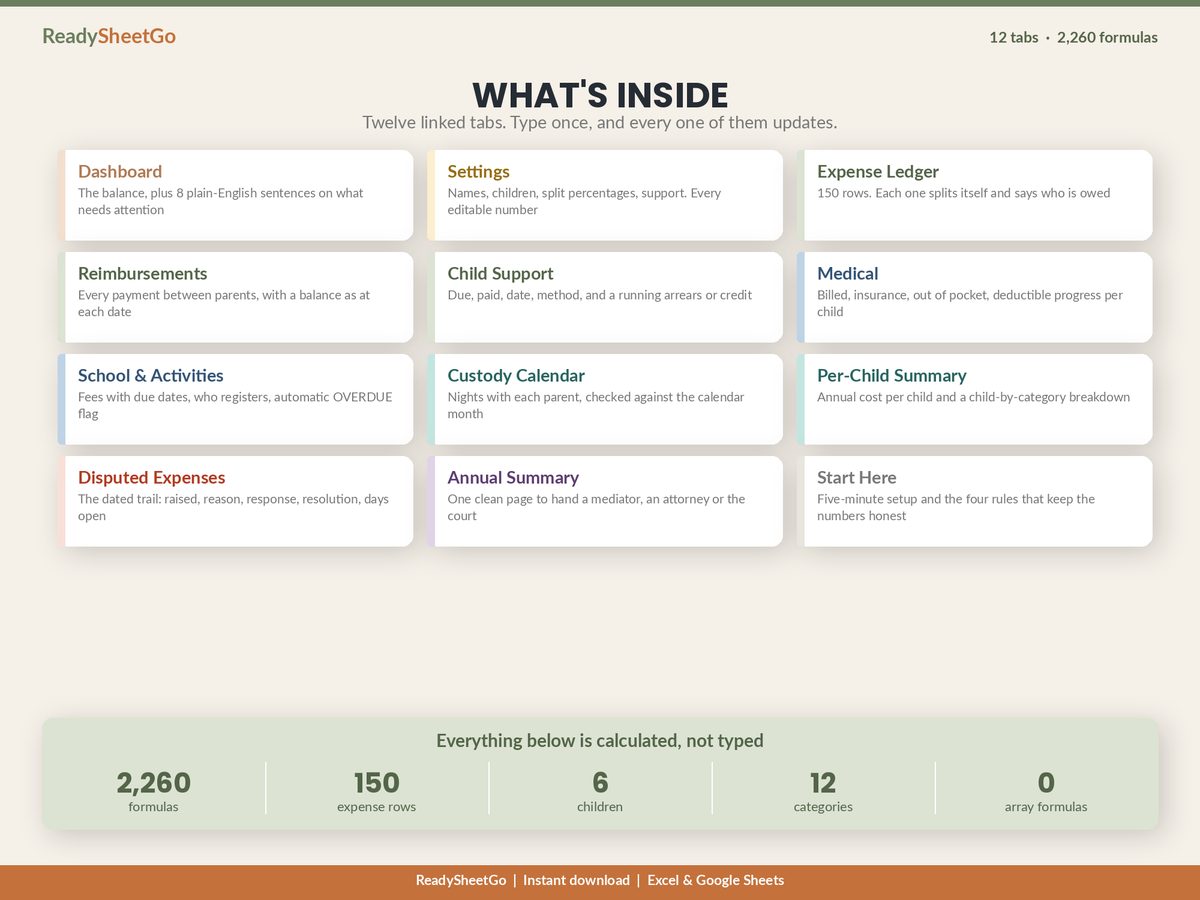
The Worked Example
Everything below runs on the same invented family. Maya Okafor and Daniel Reyes, separated, two children — Sofia, 11, and Theo, 7. Six months of records, January to June 2026. Every person, provider and figure is made up; the arithmetic is the arithmetic.
Their agreement sets a different ratio for each category. This is the part that matters, and it is the part a household budget template cannot do:
| Category | Maya’s share | Daniel’s share | Why |
|---|---|---|---|
| Medical & dental | 50% | 50% | Even split, per agreement |
| Childcare | 60% | 40% | Pro-rated to income |
| Extracurriculars | 70% | 30% | Negotiated separately |
| School fees | 50% | 50% | Even split, per agreement |
| Clothing | 50% | 50% | Even split, per agreement |
Set these five rows once, at the top of the file, and every expense below splits itself. Type Maya’s percentage and Daniel’s is 100% − Maya's, which means the pair can never drift apart and can never total 97% by accident.
Layer One: The Ledger
One row per expense. Four columns are typed, three are formulas, and one — the status — is the column that does the real work.
| Date | Item | Category | Amount | Paid by | Status | Maya’s share | Daniel’s share |
|---|---|---|---|---|---|---|---|
| 12 Jan | Sofia orthodontist, deposit | Medical | $1,450.00 | Daniel | Agreed | $725.00 | $725.00 |
| 20 Jan | After-school care, January | Childcare | $620.00 | Maya | Agreed | $372.00 | $248.00 |
| 03 Feb | Theo soccer registration | Extracurricular | $384.00 | Daniel | Agreed | $268.80 | $115.20 |
| 14 Feb | School lunch top-ups | School | $180.00 | Maya | Agreed | $90.00 | $90.00 |
| 21 Feb | After-school care, February | Childcare | $620.00 | Daniel | Agreed | $372.00 | $248.00 |
| 05 Mar | Sofia glasses | Medical | $310.00 | Daniel | Agreed | $155.00 | $155.00 |
| 18 Mar | Spring break camp | Childcare | $845.00 | Daniel | Agreed | $507.00 | $338.00 |
| 02 Apr | Theo coat and shoes | Clothing | $148.00 | Maya | Agreed | $74.00 | $74.00 |
| 11 Apr | Sofia orthodontist, payment 2 | Medical | $1,450.00 | Daniel | Agreed | $725.00 | $725.00 |
| 26 Apr | Sofia field trip | School | $95.00 | Maya | Agreed | $47.50 | $47.50 |
| 09 May | Soccer travel tournament | Extracurricular | $530.00 | Daniel | Agreed | $371.00 | $159.00 |
| 22 May | After-school care, May | Childcare | $620.00 | Maya | Agreed | $372.00 | $248.00 |
| 30 May | Sofia phone upgrade | Other | $420.00 | Daniel | Disputed | — | — |
| 06 Jun | Theo dental visit | Medical | $240.00 | Daniel | Agreed | $120.00 | $120.00 |
| 14 Jun | Guitar lessons, June | Extracurricular | $180.00 | Maya | Pending | — | — |
| 19 Jun | Summer camp deposit | Childcare | $1,200.00 | Daniel | Agreed | $720.00 | $480.00 |
The two share columns are one formula each. Maya’s share is amount × the ratio for that category, but only when the status reads Agreed — otherwise it returns blank. In a sheet:
=IF(status<>"Agreed", "", amount * VLOOKUP(category, SplitTable, 2, FALSE))
Daniel’s is the same expression against column 3 of the split table. Nothing else in the file gets typed twice.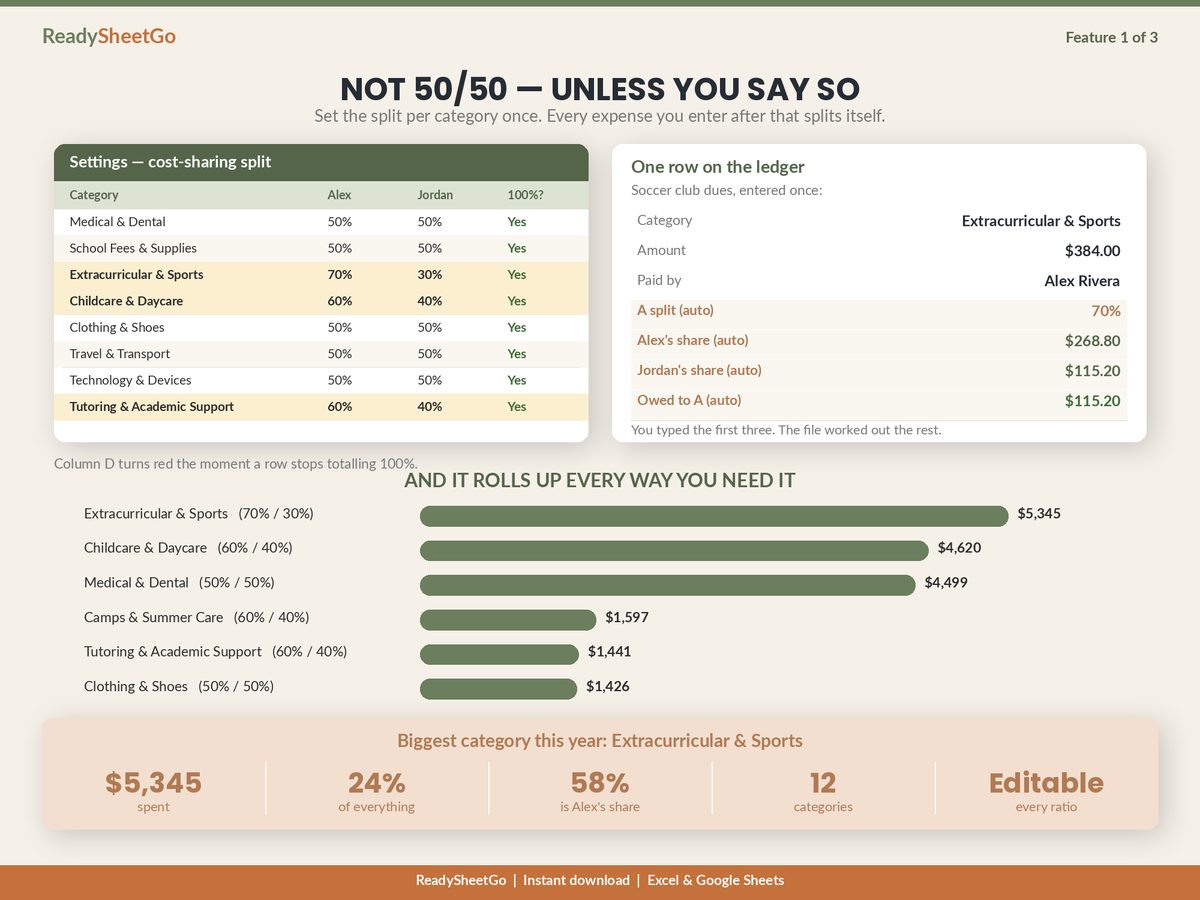
Notice the $384 soccer registration. Nobody worked out that Maya’s share is $268.80 — the file did, because Extracurriculars is set to 70/30 four rows above. And notice that the $420 phone and the $180 guitar lessons produce no share at all. They are logged, dated, visible and totalled separately. They are simply not part of the number either parent is being asked to pay.
Layer Two: Who Has Actually Paid What
Two totals, both derived, neither typed.
| Maya | Daniel | Total | |
|---|---|---|---|
| Agreed expenses paid out of pocket | $1,663.00 | $7,029.00 | $8,692.00 |
| Responsible for, under agreed ratios | $4,919.30 | $3,772.70 | $8,692.00 |
| Position before reimbursements | −$3,256.30 | +$3,256.30 | $0.00 |
Two things are worth pausing on.
The row totals match. Agreed expenses come to $8,692.00 whichever way you slice them — by who paid, or by who was responsible. That is not a coincidence, it is a check, and it is the single most useful assertion you can build into a shared-expense file. If those two totals ever stop agreeing, a ratio somewhere has stopped summing to 100% and every downstream number is wrong. Put the difference in a cell and make it turn red when it is not zero.
And the excluded items do not appear here at all. The disputed phone ($420) and the pending guitar lessons ($180) are tracked on their own tab and reported on their own line. They are not hiding — they are just not being claimed.
Layer Three: The Money That Actually Moved
An expense ledger on its own will tell you Maya is $3,256.30 behind. It will not tell you whether she has paid any of it. That takes a second, much shorter log: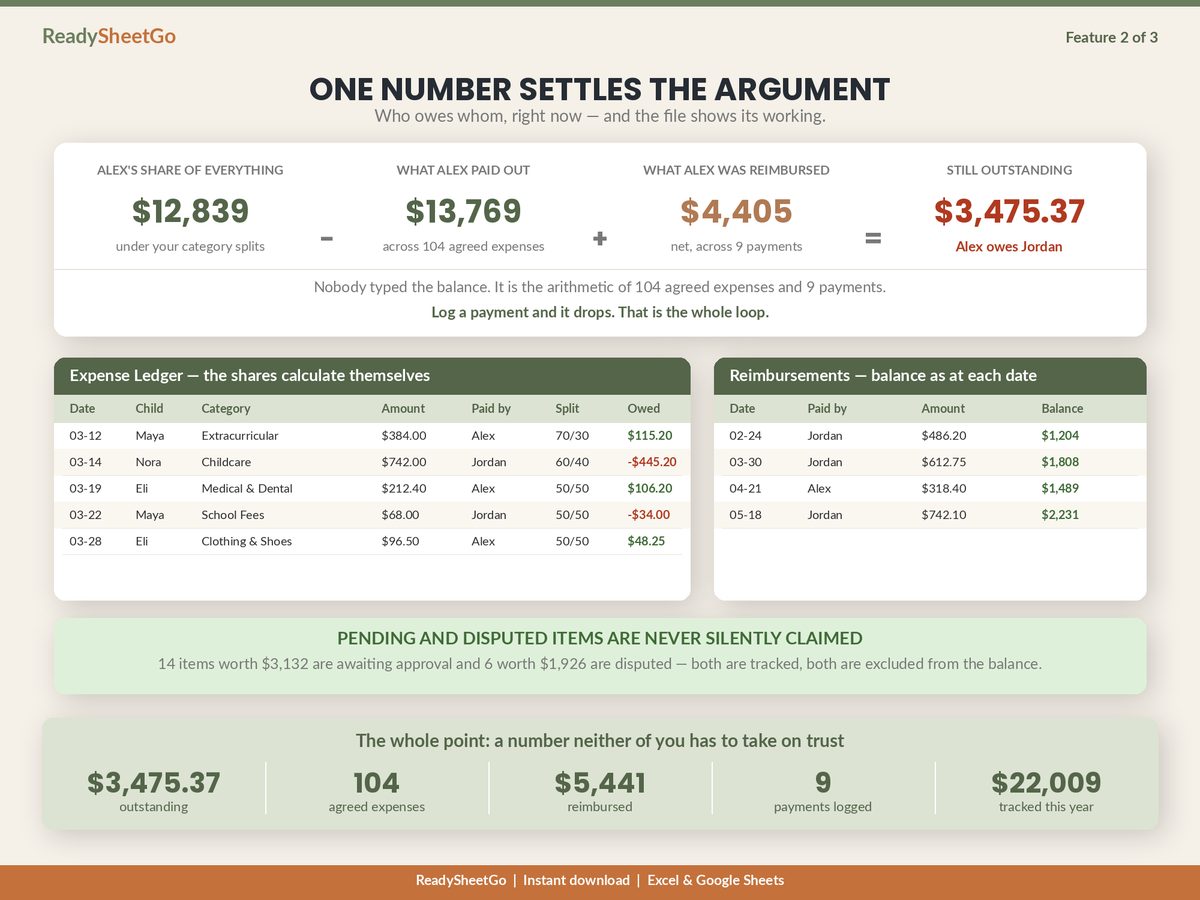
| Date | From | To | Amount | Method | Balance after |
|---|---|---|---|---|---|
| 28 Feb | Maya | Daniel | $900.00 | Bank transfer | $1,183.20 |
| 30 Apr | Maya | Daniel | $1,100.00 | Bank transfer | $1,241.30 |
| 30 Jun | Maya | Daniel | $600.00 | Bank transfer | $656.30 |
Total reimbursed: $2,600.00.
The “balance after” column is the running position as it stood on that date — the ledger up to that point, less every payment up to that point. It is the column you want when somebody asks what did we think the number was in April?, which is a question that comes up far more often than you would expect.
The Answer
$3,256.30 owed, less $2,600.00 already paid:
Maya owes Daniel $656.30 as of 30 June 2026.
Excluded from this figure: 1 disputed item ($420.00) and 1 pending item ($180.00).
One sentence, derived from three logs, with the exclusions stated on the face of it. That last line is not a formality. It is what makes the number credible to the other parent, because it shows them exactly what you did not claim.
The Four Rules That Keep It Honest
Every failure mode in shared-expense tracking is one of these four rules being broken.
Log the expense on the day, not at the end of the month. A ledger kept contemporaneously is a record. One reconstructed from a bank statement in December is an argument with a table around it.
Never let a balance be typed. Every total in the file should be derived from the ledger and the payment log. The moment someone types over a balance to “correct” it, the file stops being reproducible and you are back to negotiating over memory.
Nothing counts until it is agreed. Default new rows to Pending. Move them to Agreed when the other parent says yes, and to Disputed when they say no — with the date and the reason. The mistakes this one rule prevents are the expensive ones.
Log the payment the day it clears. The most common error in the whole category is an expense ledger that is meticulously maintained next to a payment log that is three months stale, which produces a balance that is confidently, provably too high.
Where the Ratios Come From
The 60/40 on childcare in the example is not arbitrary — it is roughly the ratio of Maya’s income to the household’s combined income. Plenty of agreements pro-rate at least some categories that way, on the reasoning that an even split of a fixed cost is a bigger share of a smaller pay cheque.
It changes the number more than people expect. Run the same six months at a flat 50/50 on everything and the closing balance is $83.00 rather than $656.30 — a $573.30 swing in half a year, from a ratio decision nobody thought of as a financial decision. The proration arithmetic, and which income figure to use, is worth getting right once.
What to Do About the Disputed Column
The disputed items are the ones that end up in front of somebody else, so they need more than a flag. Give them their own tab with six columns: what was raised, the date, who raised it, the reason given, the other parent’s response, and the resolution — plus a days-open counter so nothing sits unanswered forever.
The point is not to win the $420. The point is that when a mediator asks how disagreements were handled, the answer is a dated trail rather than a screenshot of a text thread. Producing that record in a form someone else can read is a different job from tracking the money, and it is worth building for deliberately.
Spreadsheet or App?
There are dedicated co-parenting apps, and for some situations they are the right answer — particularly where a court has directed you to use one, or where the communication itself needs to be recorded and not just the money.
What they cannot do is work when the other parent will not create an account. A spreadsheet needs nobody’s permission, costs nothing per year, and produces a one-page summary you can email. The honest comparison, including where the app genuinely wins, comes down to how much conflict you are managing and whether both parents will participate.
The Thing Worth Remembering
Set the split per category, not globally. Put a status on every row and count only what is agreed. Log payments separately from expenses. Then make the file assert that both totals match, and let it write the balance itself.
Do that and the monthly conversation stops being I think you owe me and becomes here is the sheet. Which is a much shorter conversation, and a much better one to have in front of your children.
Featured on ReadySheetGo
Co-Parenting & Blended Family Shared Expense Tracker — $14.99
Twelve linked tabs and 2,260 working formulas, with a full fictional sample year already loaded so you can watch every calculation above run before you type anything.
The Settings tab holds both parents, up to six children, and the split percentage for all twelve categories — type one parent’s percentage and the other works itself out, with a check that turns red the moment a category stops totalling 100%. The Expense Ledger gives you 150 rows, each one splitting itself by the ratio for its own category and saying who is owed what. Every row carries a status, and only items marked Agreed reach the balance, so pending and disputed items are tracked, dated and reported without ever being silently claimed.
Reimbursements logs every payment between parents with the balance as it stood on that date. Child Support tracks due against paid with a running arrears-or-credit figure. Medical holds billed, insurance paid, out of pocket and deductible progress per child. School & Activities carries due dates and an automatic OVERDUE flag. The Custody Calendar counts nights with each parent by month and checks them against the days in that month. Per-Child Summary returns annual cost per child — the figure most agreements get reviewed against.
Disputed Expenses keeps the dated trail: raised by, reason, response, resolution, days open, with anything past your reply window flagging itself. Annual Summary prints all of it onto one page with signature lines. And the Dashboard writes the answer in a sentence — “Alex owes Jordan $3,475.37” in the sample file — plus a flag on every expense over your receipt threshold with no receipt attached, because those are the ones that get challenged.
No macros, no add-ons and no array formulas, which is exactly why it calculates identically in Excel and Google Sheets. One file, bought once, that needs nobody else’s account. It organises your own records — it is not legal advice and does not interpret your custody order.
Get the Co-Parenting & Blended Family Shared Expense Tracker →
Frequently Asked Questions
What does a co-parenting expense tracker actually need to hold?
Five things, and everything else is decoration: the split percentage for each expense category, one row per expense with who paid it, a status on every expense saying whether it was agreed, every payment that has actually moved between the two of you, and the date on all of it. From those five a sheet can return what each parent has paid out of pocket, what each parent was responsible for under the agreed ratios, what has already been settled, and a single net balance. A running total of receipts with no status column and no payment log is a shoebox, not a tracker — it cannot tell you whether a number was ever disputed or ever paid.
Should every expense be split 50/50?
Only if your agreement says so, and many do not. It is common for medical to split evenly while childcare is pro-rated to income and extracurriculars follow whatever the two of you negotiated for that specific activity. The practical consequence is that a tracker needs the ratio set per category rather than one global number, because a file that assumes 50/50 will quietly produce a balance that neither your agreement nor a reviewer recognises. Set the ratios once, at the top, and never think about them again.
What stops one parent from adding expenses the other never agreed to?
A status column on every row, and a rule that only items marked Agreed count toward the balance. Pending and disputed items still get logged, dated and totalled — you want the record — but they sit outside the figure either parent is being asked to pay. This is the single change that turns a list of receipts into something the other parent will actually look at, because it makes the claimed number conservative by construction rather than something they have to audit line by line.
Does a spreadsheet hold up if we end up in mediation?
What holds up is a dated, consistent, contemporaneous record with receipts attached and disputes logged at the time they were raised — the format matters far less than those properties. A spreadsheet that has been kept continuously since separation, prints to one page, and shows the same arithmetic applied to every line is a strong record. One reconstructed from memory the week before a meeting is not, whatever software made it. None of this is legal advice, and your own attorney or mediator will tell you what they want to see.