How to Track Qualifying Payments Toward Loan Forgiveness
Ten years is a long time to trust someone else’s spreadsheet.
Somewhere in that decade your loans will move to a different servicer, you will change employer at least once, you will spend a few months in a forbearance you did not choose, and the count of qualifying payments displayed in your portal will change without explanation. When it does, the only thing that will help you is a record you kept yourself, month by month, at the time.
Full walkthrough of the template used in this guide.
This is what that record needs to contain and how to reconcile it.
The Gap That Makes This Necessary
Here is the state of a real forgiveness file part-way through: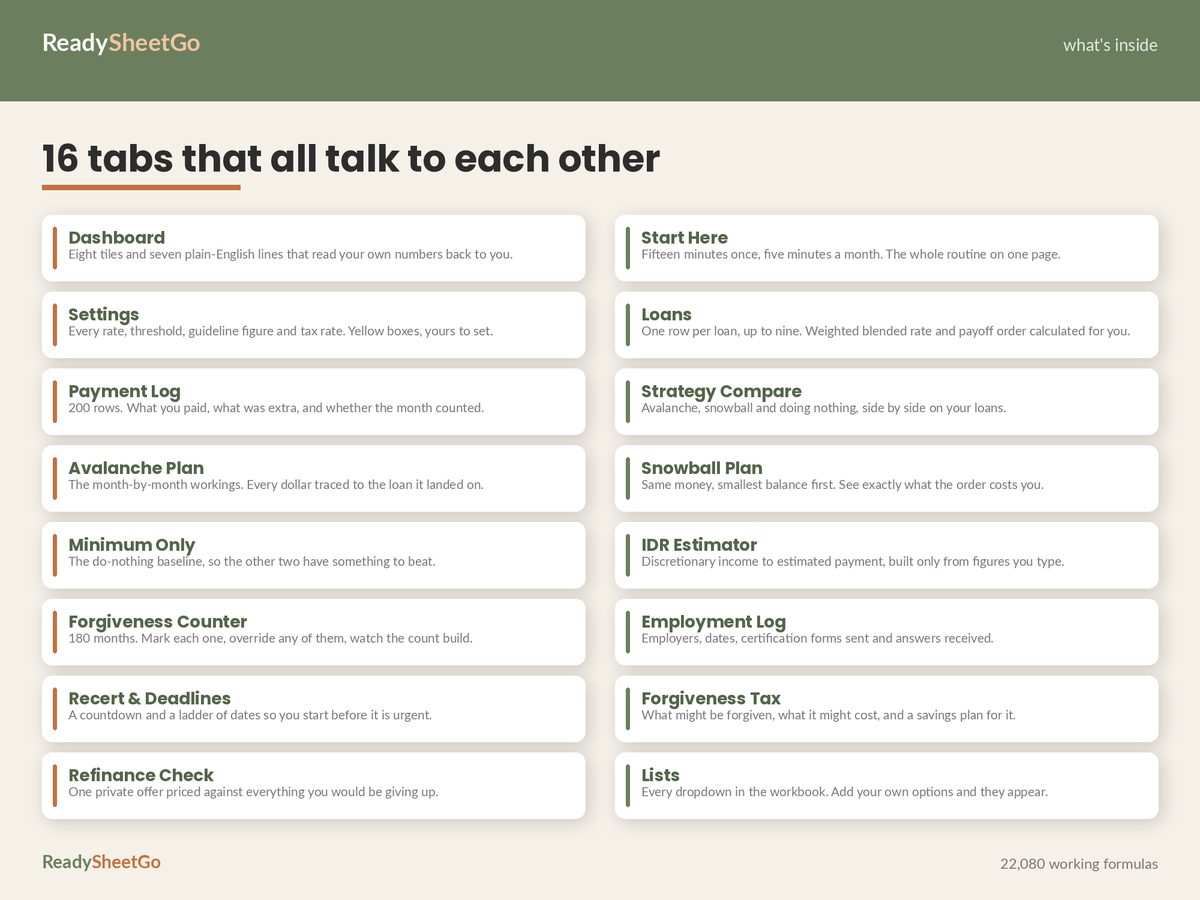
| Qualifying payments counted | 18 |
| Payments made that did not count | 2 |
| Count the programme requires | 120 |
| Payments remaining | 102 |
| Progress | 15% |
| Projected forgiveness date | Feb 2035 |
| Months of qualifying employment on record | 58 |
| Employers certified | 2 |
Read those last three rows again. Fifty-eight months of qualifying employment, and eighteen counted payments. A forty-month gap.
That gap is either entirely legitimate — payments made in a non-qualifying plan, months in deferment, employment periods that were never certified with a form, time before a consolidation reset the clock — or it contains an error worth years. From inside the portal there is no way to tell, because the portal shows you a number, not its working.
A month-by-month record turns “I think their number is wrong” into “these eleven specific months meet the criteria and here is the documentation for each.” Only one of those two sentences goes anywhere.
The Nine Columns
Copy this into a sheet. One row per month, not per payment — the unit that counts is the month.
| Column | What goes in it | Why it matters |
|---|---|---|
| Month | 2026-09 | The unit of the count. Every month gets a row, including months you paid nothing. |
| Payment date | Date it cleared | Distinguishes the month it was for from the month it landed. They differ more often than you would think. |
| Amount | $247.29 | Proof it was made and made in full. |
| Loan / group | The loans it was applied to | Matters after any consolidation or transfer. |
| Repayment plan | The plan you were in that month | The most commonly missing column, and one of the two that decide whether the month counts. |
| Employer | Name, that month | The other one. Not “current employer” — the employer during that specific month. |
| Employment qualified? | Y / N / unsure | Your own assessment at the time, when you still remember the details. |
| Servicer counted it? | Y / N / not yet shown | Filled in later, when the portal updates. This is the column that creates the audit. |
| Notes | “Forbearance — not requested by me” | The field that wins disputes years later. |
Two columns do the real work.
Repayment plan and employer are the pair that decides whether a month counts, and they are exactly the two things nobody remembers eight years later. “I was at the school district then, I think” is not evidence. A row written in the month itself is.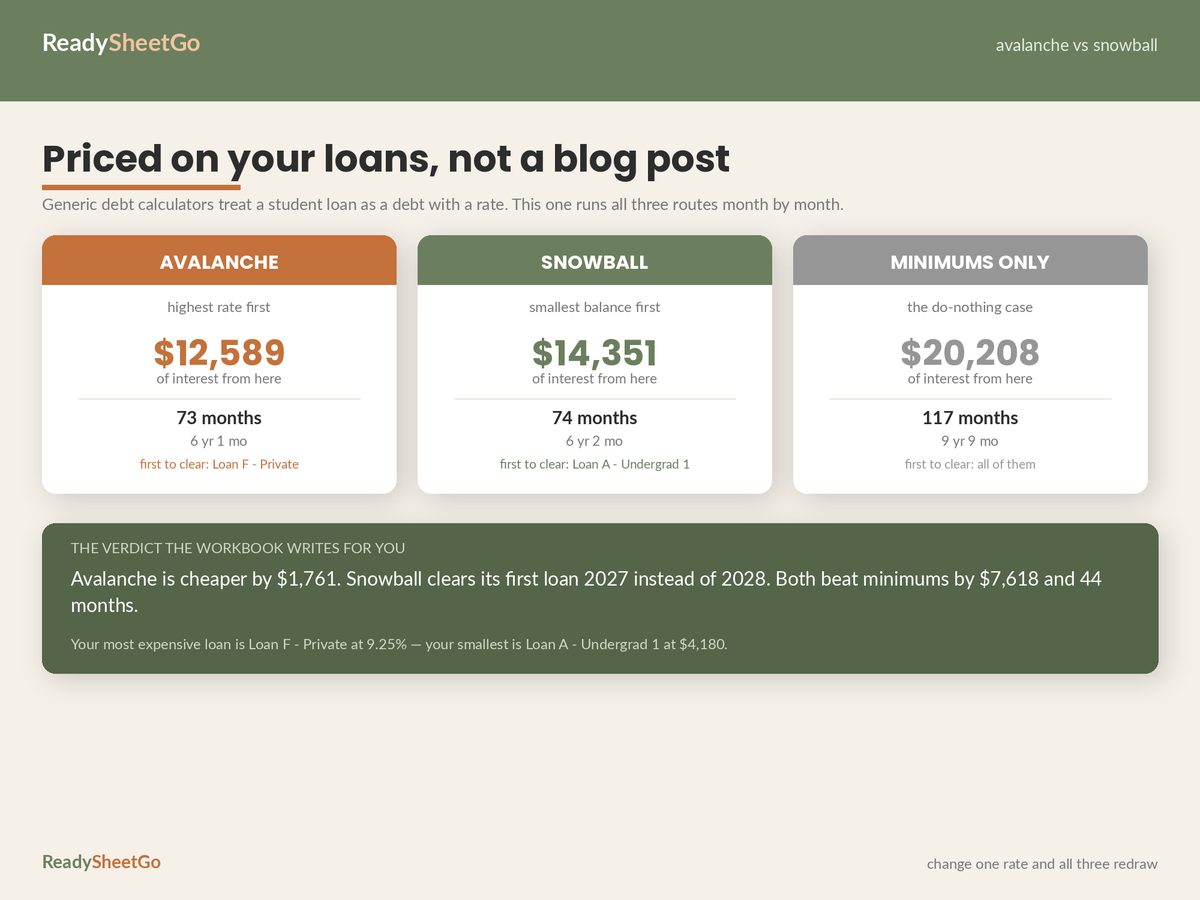
Servicer counted it? is what makes this a reconciliation rather than a diary. Each time the portal updates its count, walk the column and mark the months. When your total and theirs diverge, the divergence is already itemised.
The Monthly Routine
Five minutes, once a month, on the same day you pay.
- Add the row. Month, date, amount, plan, employer. Thirty seconds while it is all in front of you.
- Screenshot or save the payment confirmation into a folder named for the month. Servicer portals do not keep statements forever, and they do not keep them at all across a transfer.
- Mark anything unusual in the notes. A forbearance, a paused payment, a plan change, a job change, a month you paid late, a month the amount was different. Unusual months are the ones that turn out to matter.
- Once a quarter, reconcile your counted total against the portal’s. Divergence found in the same quarter is a phone call. Divergence found in year nine is a legal problem.
The Two Deadlines That Are Not About Payments
Employment certification. The payment count and the employment count are separate records, and the second one only exists if you file the form. File it at least annually and every time you change employer — and file it for a job you are leaving before you leave, while the HR department still knows who you are and will sign something. Log the date you sent each form and the date you got an answer back. In the worked file, two employers are certified covering 58 months, and the certification dates are recorded against each.
Recertification. Income-driven payments are recalculated annually and require you to recertify. The worked file shows 75 days to the next one, with warnings laddered at 90, 60, 30 and 7 days.
Missing it is expensive in a way that is easy to underestimate: the payment can revert from the income-driven figure to the standard one — in this portfolio, from $247.29 to $787, a $539.71 swing landing in a month you had not budgeted for it — and the months while it is sorted out may not count. A calendar reminder at 90 days is the cheapest thing in this entire article.
Three Things Worth Knowing Early
A payment can be perfect and still not count. Right amount, on time, cleared — and it fails because of the plan you were in or the employer you worked for that month. The failure is invisible at the time. This is the whole reason for the plan and employer columns.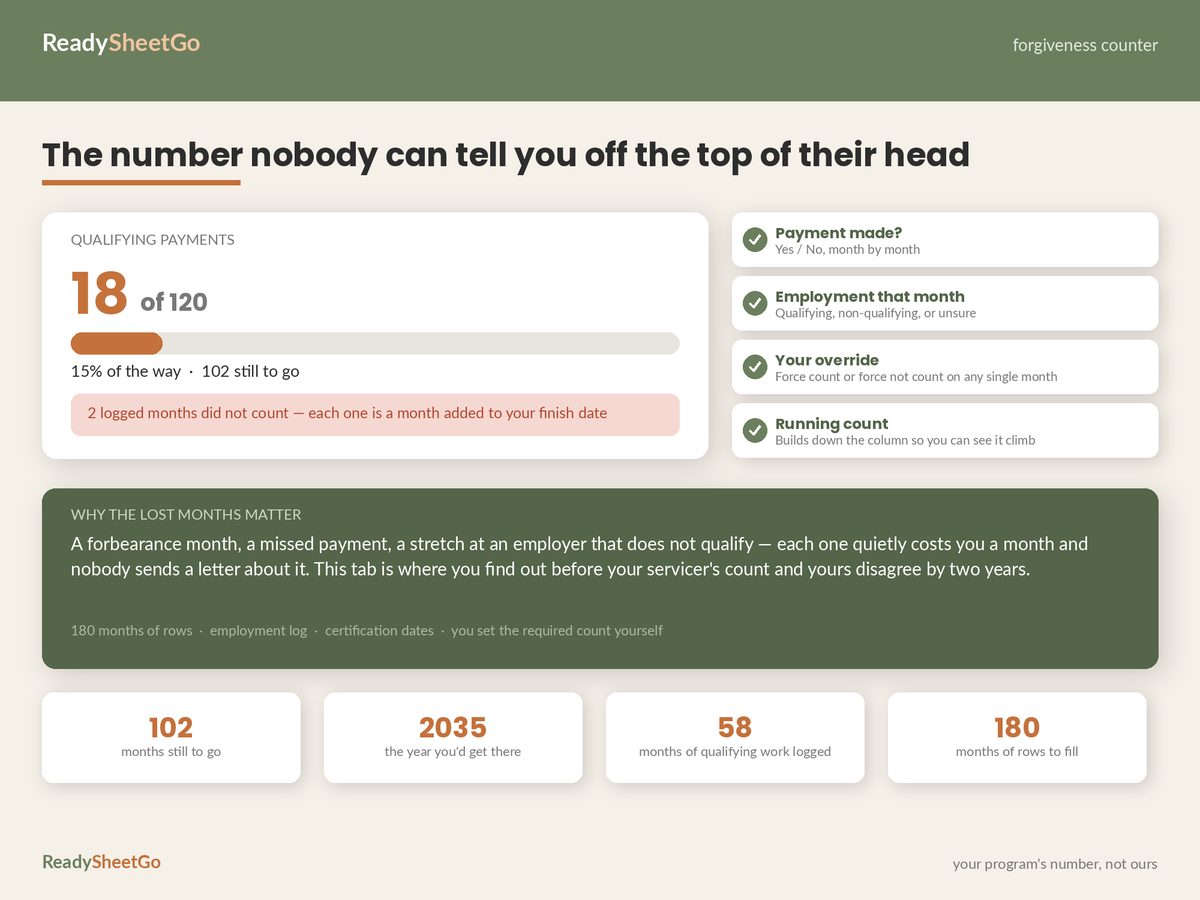
Extra payments do not buy months. On a forgiveness track, what you owe is not what you will repay; the count is what matters. Money that would have gone to extra payments is usually better pointed at the possible tax bill on the forgiven balance, which arrives all at once and is a genuine cost. The payoff math looks completely different when you are not heading for forgiveness.
Your payment may not cover your interest, and that may be fine. With a $247.29 income-driven payment against $344.50 of monthly interest, the balance grows by $97.21 a month. On a payoff track that is a trap. On a forgiveness track it is irrelevant — a growing balance you will not repay is a number, not a problem. Knowing which track you are on is the decision every other decision hangs off, and it is covered in the full guide to tracking every loan and your real payoff date.
Every programme figure in this article — the required count, the protected-income threshold, the plans that qualify — is a setting, not a fact. Rules change. Take yours from your servicer or studentaid.gov, write them into your own file, and date the day you checked.
Featured on ReadySheetGo
Student Loan Payoff, IDR & Forgiveness Progress Tracker — $14.99
The Forgiveness Counter is this article as a working tab: 180 month rows, one per month, with a manual override on every single one — because your count and your servicer’s will eventually disagree, and a file that can only hold one of those numbers is no use in a dispute. It returns counted, not counted, remaining, percentage complete and a projected forgiveness date.
Alongside it, an Employment Log holding employers, start and end dates, forms sent and answers received; a Recert & Deadlines tab with a live countdown and warnings laddered at 90, 60, 30 and 7 days plus a history of past recertifications; a 200-row Payment Log recording what you paid, how much was extra and whether the month counted; and a Forgiveness Tax tab estimating what might be forgiven, what it might cost and a 60-month savings plan for it.
The other half of the file handles the payoff side if your track changes: a Loans tab returning your blended rate and both payoff orders, Strategy Compare running avalanche, snowball and minimum-only as full simulations, an IDR Estimator that tells you whether your payment covers your interest, and a Refinance Check. Sixteen tabs, 22,080 formulas, up to nine loans.
Every programme rule — required payment count, protected-income figure, percentage of discretionary income, tax rate — is a yellow input box you fill in from your servicer’s current figures. Nothing is baked in. Sample data pre-filled. Works in Excel and Google Sheets.
Get the Student Loan Payoff, IDR & Forgiveness Tracker →
Frequently Asked Questions
What should I record for each qualifying payment?
Nine columns: month, payment date, amount, the loan or group it was applied to, the repayment plan you were in that month, your employer that month, whether the employer qualified, whether the servicer counted it, and a notes field. The plan and employer columns are the ones people skip and the ones that decide whether a month counts — a payment made in the right amount but the wrong plan, or during a forbearance, or a month after you changed jobs, can fail to count and you will not be told at the time.
Why does my servicer's qualifying payment count not match mine?
Counts commonly diverge for four reasons: payments made in a repayment plan that did not qualify, months spent in forbearance or deferment, employment periods never certified with a form, and loan transfers between servicers where the count is rebuilt from records rather than carried over. In the worked example here, 58 months of qualifying employment sit against only 18 counted payments — a 40-month gap that is either genuine or an error, and there is no way to know which without a month-by-month record of your own.
How do I dispute a qualifying payment count?
With evidence, month by month. You need the payment date and amount, the plan you were in, the employer and their certification for that period, and where possible the statement or bank record showing the payment cleared. A dispute framed as "I think your number is wrong" goes nowhere; a dispute that says "these eleven specific months meet the criteria and here is the documentation for each" is a different conversation. Keep an override column so your file can hold both counts side by side.
Should I keep paying extra while working toward forgiveness?
Usually not, and it is worth being deliberate about. On a forgiveness track the balance is not what you will repay — the number of qualifying months is. Extra payments do not buy extra months, and on some routes a payment that is too large can even fail to count as a monthly payment. Money that would have gone to extra payments is often better directed at the possible tax bill on the forgiven balance, which is a real cost that arrives all at once.