Documents to Send Your Accountant at Tax Time: A Small Business Checklist
You have been told to “send everything over” and you are not sure what everything is. Sending a thin packet means a week of follow-up emails; sending a messy one means paying for someone to sort it. The documents to send your accountant at tax time fall into four groups, and a tracker with a status per item makes sure nothing is silently missing.
Your accountant’s request list overrides this one. Treat this as a starting checklist, not tax advice.
Full walkthrough of the template used in this guide.
Group 1: The reports
These summarise your year, so your accountant can see whether the numbers are sensible before touching a return.
| Document | Why they want it |
|---|---|
| Profit and loss, this year and last | Shows income, expenses and trend |
| Balance sheet at year end | Shows what you own and owe; proves the books tie out |
| Prior-year tax return | Gives carryovers, assets and elections already made |
If you do not have a balance sheet, that is a flag in itself. A balance sheet built from your own tabs also tells you whether the books balance, which is covered in what to do when the balance sheet does not balance.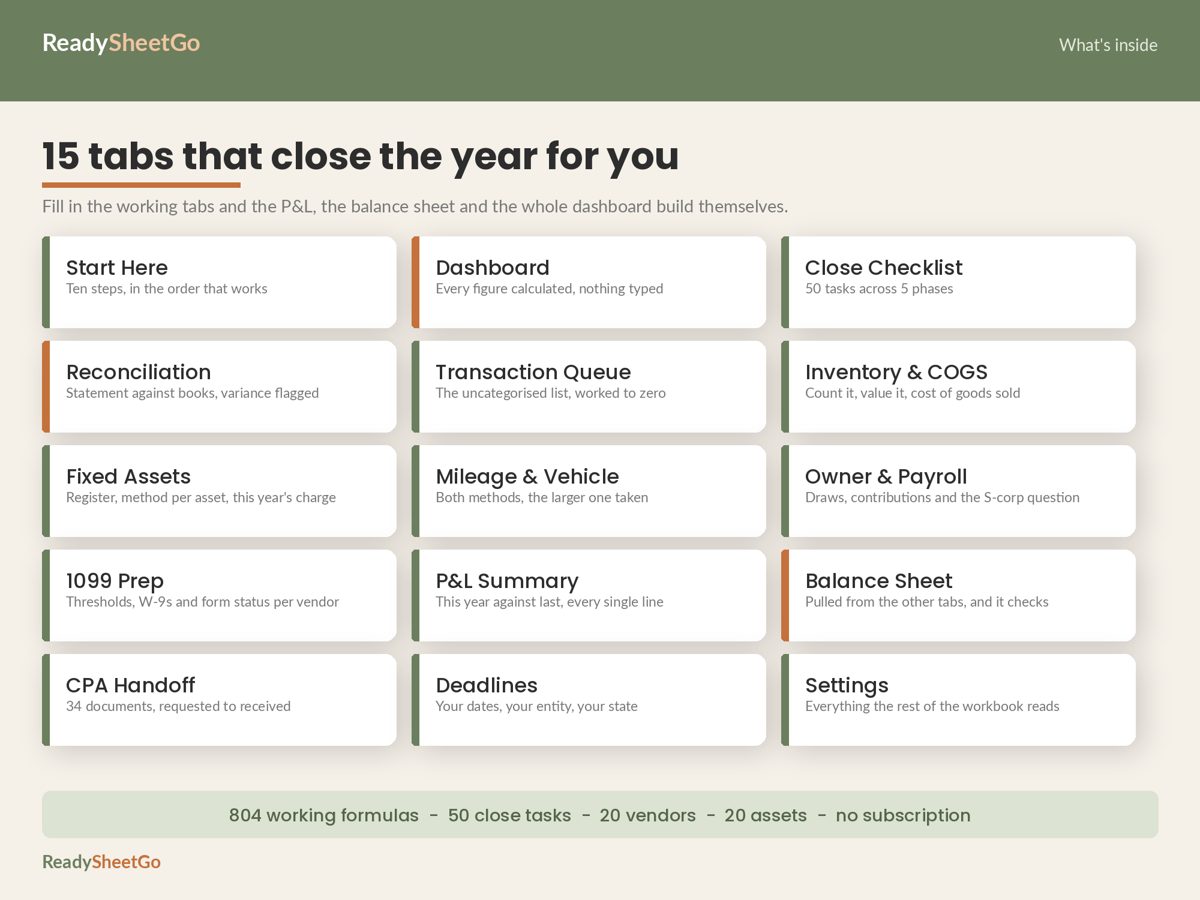
Group 2: The proof
These show the reports are true.
| Document | Why they want it |
|---|---|
| December statements for every bank and card account | Proof the ending balances are real |
| Reconciliation summary per account | Shows variance, ideally zero |
| Loan statements with interest paid | Interest is usually separated from principal |
| Merchant or payment-platform annual summaries | Reconcile reported sales to deposits |
Group 3: The adjustments
These cover things your daily records do not capture.
| Document | Why they want it |
|---|---|
| Fixed asset purchase list with dates, costs and invoices | Needed to depreciate or expense equipment |
| Mileage log with business and total miles | Supports the vehicle deduction |
| Inventory count with units and unit cost | Produces cost of goods sold |
| Payroll reports and owner draw/contribution totals | Separates wages from owner equity |
| Home office measurements, if you claim one | Supports the allocation |
Group 4: The compliance items
| Document | Why they want it |
|---|---|
| Contractor list with totals paid and W-9 status | Needed to decide who gets a 1099 |
| Estimated tax payments made, with dates | Avoids double-counting or missing a payment |
| Sales tax filings, if applicable | Reconciles to revenue |
| Business licences and entity documents | Confirms the entity type |
For the contractor item, see which contractors need a 1099-NEC.
The tracker that stops the follow-up emails
Make one row per document with these columns:
| Document | Needed by accountant? | Status | Date received | Stored where |
|---|---|---|---|---|
| Dec checking statement | Yes | Received | 3 Jan | /Taxes/2026/Statements |
| Mileage log | Yes | In progress | ||
| W-9 for J. Rivera | Yes | Requested |
Statuses: Not requested, Requested, Received, Stored, N/A. Two counts at the top do the work: the number of rows marked “needed by accountant” that are not yet Stored, and a percentage complete.
A worked example
Say your list has 34 documents, 12 are marked “needed by accountant”, and 7 total are received. Percent received is 7/34, about 21 percent. That number sounds alarming, but the useful figure is the second one: if only 3 of the 12 essential documents are in, 9 are blocking the handoff. Chase those first, and ignore the optional ones until they are done.
Five mistakes that slow the handoff
- Sending the files before reconciling. Your accountant will find the variance. See the year-end close checklist for the order.
- Sending unlabelled scans. “IMG_4471.pdf” costs time. Name files with date and account.
- Leaving out the prior-year return. Carryovers live there.
- Mixing personal and business statements in one upload.
- Not saying what is missing. Silence reads as completeness.
Copy-ready request checklist
- [ ] Profit and loss, this year and last
- [ ] Balance sheet at year end
- [ ] December statements, every account
- [ ] Reconciliation variance per account
- [ ] Loan interest statements
- [ ] Equipment purchases with invoices
- [ ] Mileage log
- [ ] Inventory count
- [ ] Payroll and owner draw totals
- [ ] Contractor totals and W-9 status
- [ ] Estimated payments made
- [ ] Prior-year return
The Year-End Business Close and CPA Tax-Prep Handoff Workbook includes a CPA Handoff tab that tracks 34 documents from requested to received with a storage location for each, plus live countdowns that turn red when a due date falls inside your warning window. It works in Excel and Google Sheets.
Featured on ReadySheetGo
Year-End Business Close and CPA Tax-Prep Handoff Workbook — $19.99
A 34-document CPA handoff tracker plus the 50-task close checklist behind it. Works in Excel and Google Sheets.
General information only, not tax, legal or accounting advice.
Frequently Asked Questions
What documents should I give my accountant for my small business taxes?
Usually a profit and loss, a balance sheet, reconciled bank and card statements, a fixed asset purchase list, a mileage log, inventory totals, payroll and owner draw summaries, contractor totals with W-9 status, loan interest statements and last year's return. Ask your accountant for their own list and use this one to track it.
Should I send receipts or just totals?
Send organised totals and keep receipts retrievable. Most accountants want category totals plus the ability to request a specific receipt, for example for large or unusual purchases. Ask whether yours wants scanned copies for assets and anything over a size they name.
How early should I send documents to my accountant?
As soon as they are final. Sending a complete packet once is faster than sending pieces over several weeks, but do not wait on non-critical items. Mark which documents your accountant said are essential and finish those first.
What if I am missing a document?
Tell your accountant what is missing and why rather than leaving it out silently. Missing items are usually recoverable: statements can be re-downloaded, W-9s requested, and receipts reconstructed from card records. A status column makes the gap visible.